How BeatButler Works
BeatButler is version control designed for music producers. If you've ever duplicated an Ableton project folder to keep a backup, emailed stems back and forth, or lost a mix you preferred from last week — BeatButler replaces all of that.
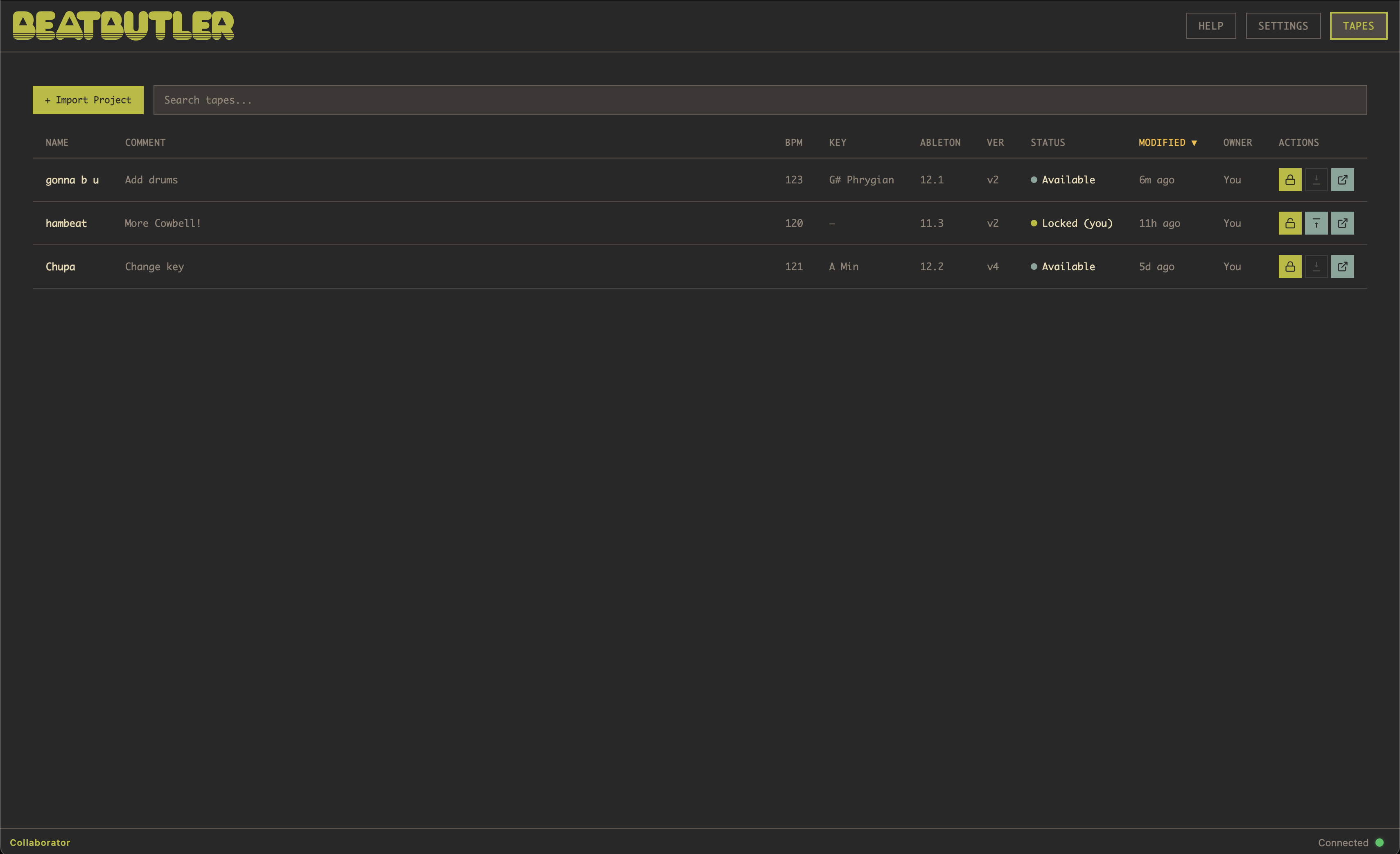
The tape
Your Ableton project lives in the cloud as a “tape.” Think of it like a physical cassette tape on a shared shelf. When you want to work on it, you grab it (check out). When you're done, you put it back (check in). Only one person can hold the tape at a time, so you never end up with conflicting versions.
Every save is remembered
With auto-sync enabled, every time you hit save in Ableton, BeatButler captures that moment. Overcooked the mix? Go back. Preferred yesterday's arrangement? Go back. Three weeks ago sounded better? Go back. We call this Time Travel.
Collaboration without conflict
Share a tape with your bandmates. Everyone can see the project's status, listen to the latest version, and review the activity log. When it's your turn, check it out and make your changes. No merge conflicts, no “which version is the latest” confusion.
Bounces for everyone
Attach audio exports to any tape. Collaborators can listen and download without needing Ableton — perfect for vocalists, managers, or anyone who just needs to hear the track.
Duplicates & templates
Duplicate any tape to take it in a new direction without touching the original. Save your favourite project setups as personal templates so you can spin up new sessions in seconds.