Bounces
Share audio exports with your collaborators and get feedback with timestamped comments.
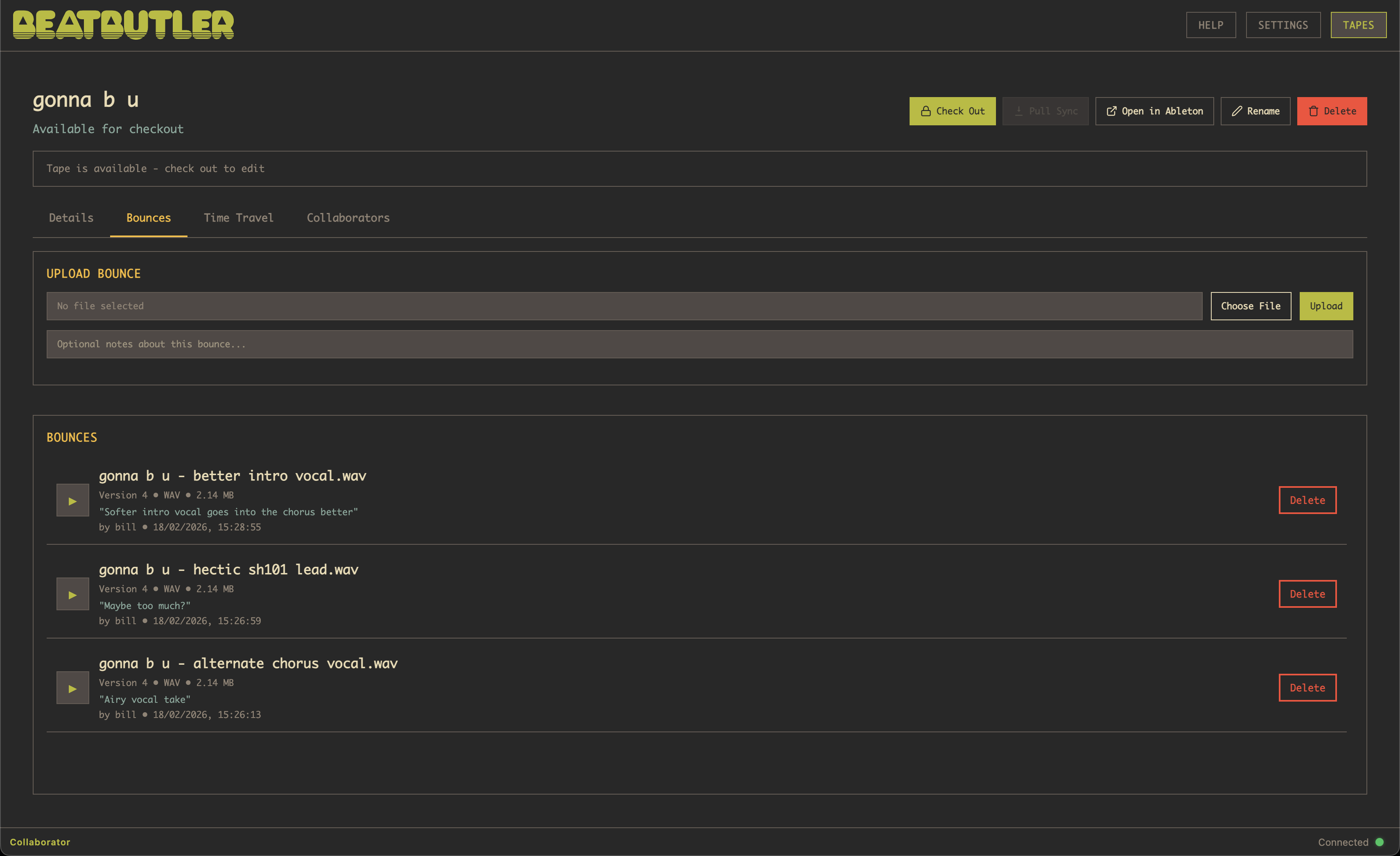
Bounces are audio exports attached to a tape. Use them to share rough mixes, stems, or final masters with collaborators — especially those who don't use Ableton.
To upload a bounce, the tape must be checked out to you. Go to the Bounces tab and drag audio files in, or click to browse your files.
Supported formats: .wav, .mp3, .aif, .flac, .m4a, .ogg
Player Controls
Click any bounce to open the expanded player with full transport controls:
- Transport: Play/Pause, Stop, Previous, Next
- Playback speed: 0.5x, 0.75x, 1x, 1.25x, 1.5x, 2x
- Volume: Adjustable slider with mute toggle
- Mono check: Sum L+R to mono for compatibility testing
- Loop: Repeat the full bounce, or set A/B loop points on the waveform
- Auto-play next: Automatically advance to the next bounce when one finishes
The player remembers your position for each bounce, so you can switch between them without losing your place.
Waveform & Metering
Each bounce displays a waveform visualization generated client-side from the audio data. Click anywhere on the waveform to seek, or scroll to zoom in for detail.
- Peak meters: L/R level bars with peak hold indicators
- LUFS: Integrated loudness readout (ITU-R BS.1770)
- Stereo correlation: Phase meter from -1 (out of phase) to +1 (mono)
- Clip detection: Highlighted in red on the waveform if any samples clip
Metadata badges show format, sample rate, bit depth, and duration at a glance.
Comments & Feedback
Leave timestamped comments at specific points in a bounce, or add general feedback. Comments appear as markers on the waveform — click one to jump to that moment.
Comments update in real time via WebSocket, so everyone sees new feedback instantly. You can also export all comments for a bounce as a text file to share outside the app.
Bounce owners can delete any comment; other users can delete their own.
Keyboard Shortcuts
Space | Play / Pause |
Left / Right | Seek -/+ 5 seconds |
Up / Down | Volume +/- 10% |
M | Mute / Unmute |
L | Toggle loop |
N | Toggle mono check |
R | Reset zoom & A/B loop |
Sorting & Search
Use the search bar above the bounce list to filter by name, creator, or notes. The sort dropdown lets you order bounces by:
- Creation date (newest or oldest first)
- Version number
- Name (A-Z or Z-A)
- Duration
- File size
- Recent comments
Mini-Player
When you navigate away from the Bounces tab, a mini-player bar stays visible at the bottom of the screen so you can keep listening while browsing other tabs or tapes. It shows the bounce name, play/pause, a seekable progress bar, and current time.