Time Travel
Restore your project to any previous version, instantly.
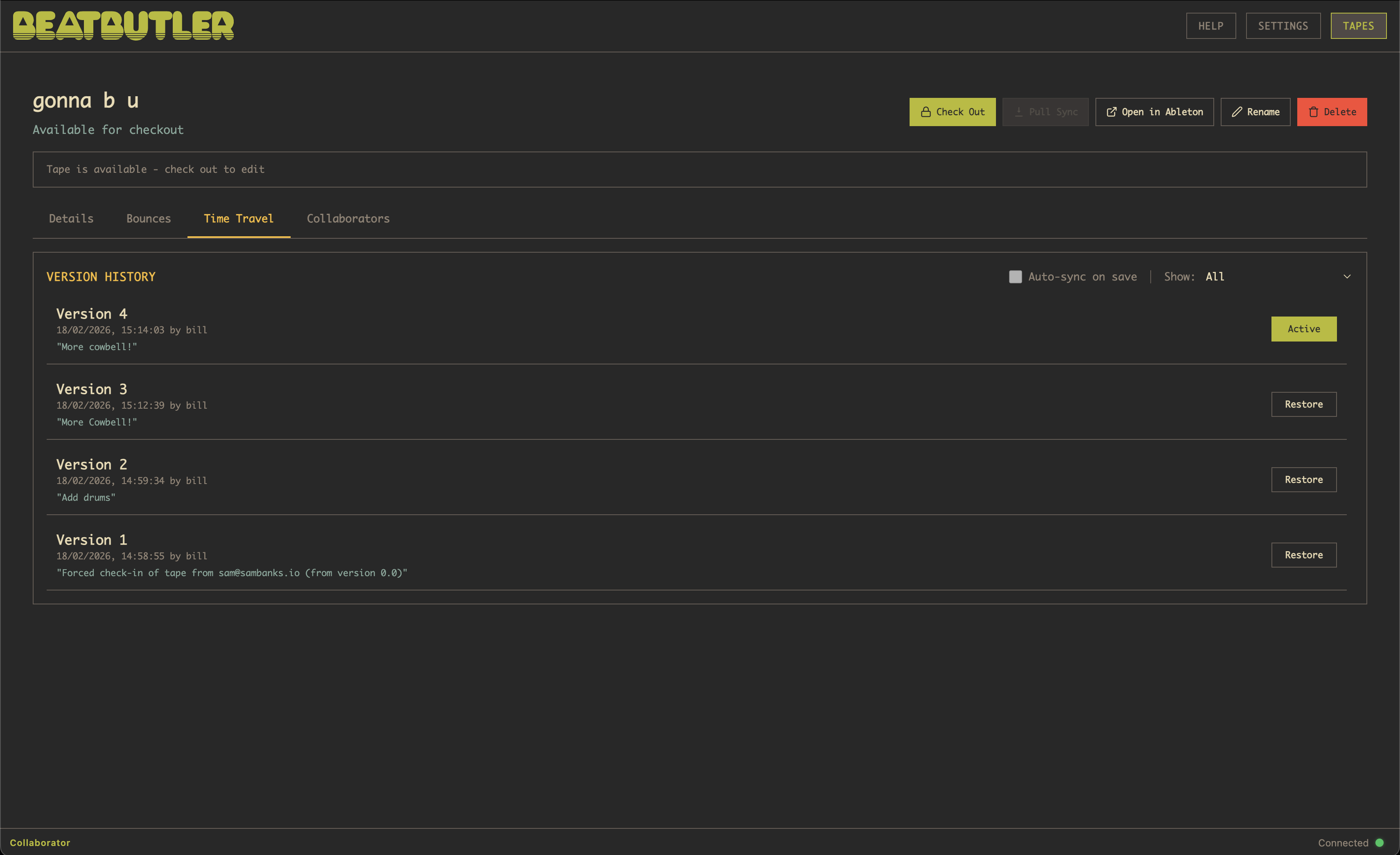
Never lose work again. Time Travel lets you restore your project to any check-in or sync — and with auto-sync enabled, that means every save you've ever made.
Overcooked the project in the last half hour? Restore. Preferred yesterday's mix? Restore. Want to hear what the mix sounded like three weeks ago? Restore.
The version timeline shows every save, with comments and timestamps. Filter to find what you're looking for:
- Major only — milestone versions (v1, v2, v3)
- Manual — only manual check-ins and syncs (skip auto-saves)
- All — everything including auto-sync versions
Restores are fast — BeatButler only downloads the files that are different between your current version and the one you're restoring. Nothing is ever deleted; restoring creates a new version from the old snapshot, so you can always go forward again.